Beyond documents
Describe an image, video scene or audio content. Review matching files and return to the relevant video or audio timestamp.
Search documents, images, video and audio on your Mac. Describe what you remember and return to the source page, recorded moment or original file.
Apple Silicon · macOS 14+ · Local inference
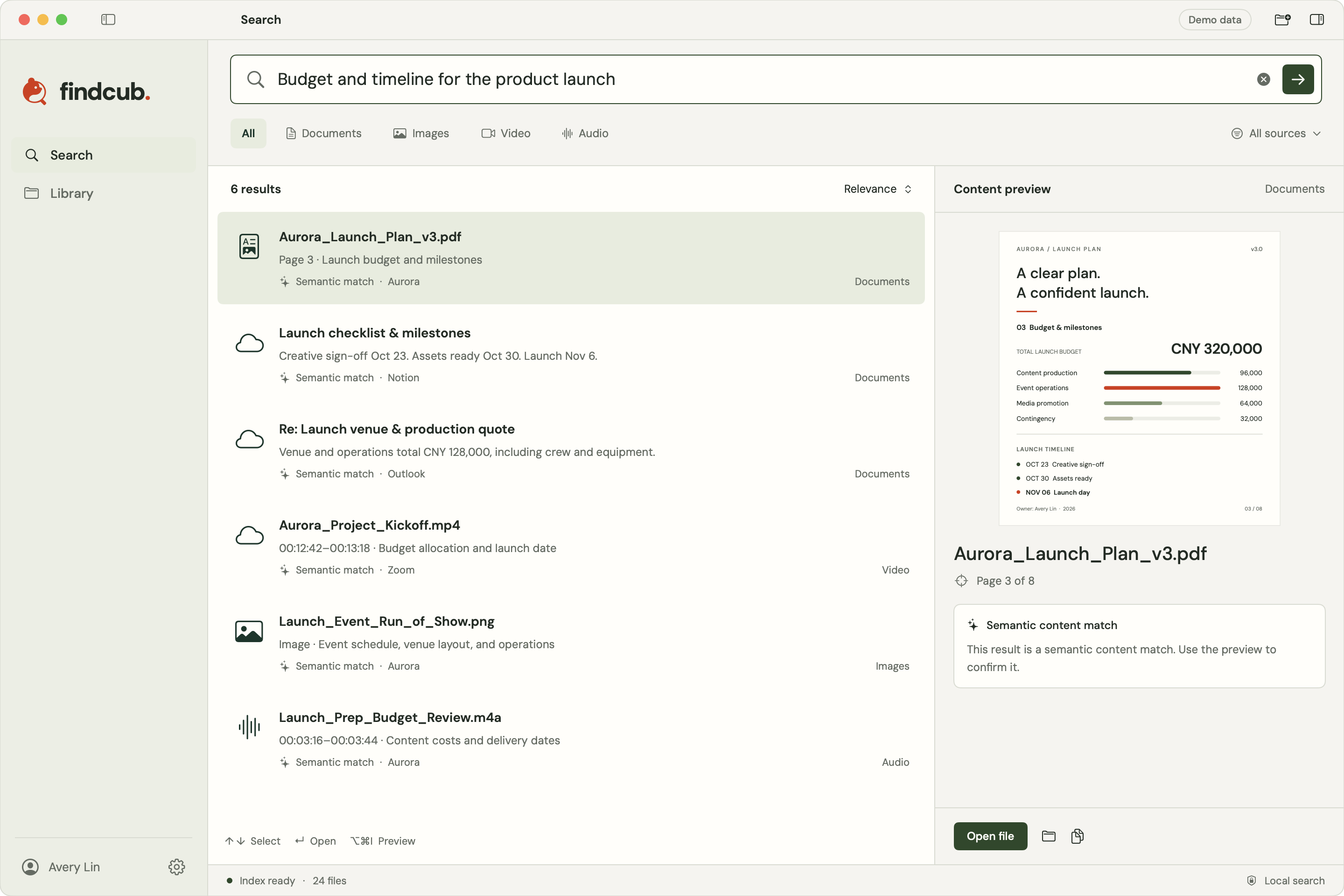
Keep the source context as you move from a clue to a file, a page or a recorded moment.
Add folders or connect available work sources to build your own searchable library.
Search with the meaning you remember, even when the filename is unfamiliar.
Preview a matching page or moment, then open the source file to continue working.
Search PDFs, slides and scans by page content and visual context. Open the matching page to check a chart, budget or passage in its original setting.
The launch-plan demo brings a budget and milestone schedule into view on the same page. The preview keeps the surrounding evidence visible before you open the file.
Product documentation
Describe an image, video scene or audio content. Review matching files and return to the relevant video or audio timestamp.
Choose the folders to index, pause updates or remove a source without deleting originals. Analysis and search run on your Mac; the local index is encrypted.
Beta connections support Google Drive, Outlook, Zoom, Teams and Notion. Availability follows the current version and account permissions. Locally synced folders can also be indexed.
Local files, queries and vector computation stay on your Mac. Setup and optional cloud-source syncing use network services.
Data & privacyLocal evidence retrieval with monthly or annual billing per user. Findcub is billed separately from ShotAI processing and searches.
Findcub is built for Apple Silicon Macs running macOS 14 or later. Local inference uses the model downloaded during setup.
Initial sign-in and model installation need a network connection. Once the model is installed, local file analysis and search work offline without staying signed in. Optional cloud connections need the network to sync content.
Visit the Findcub website for the current version, system requirements and available release options. See product documentation for connector support.